LittleFS interactive shell for W25Q64 SPI NOR

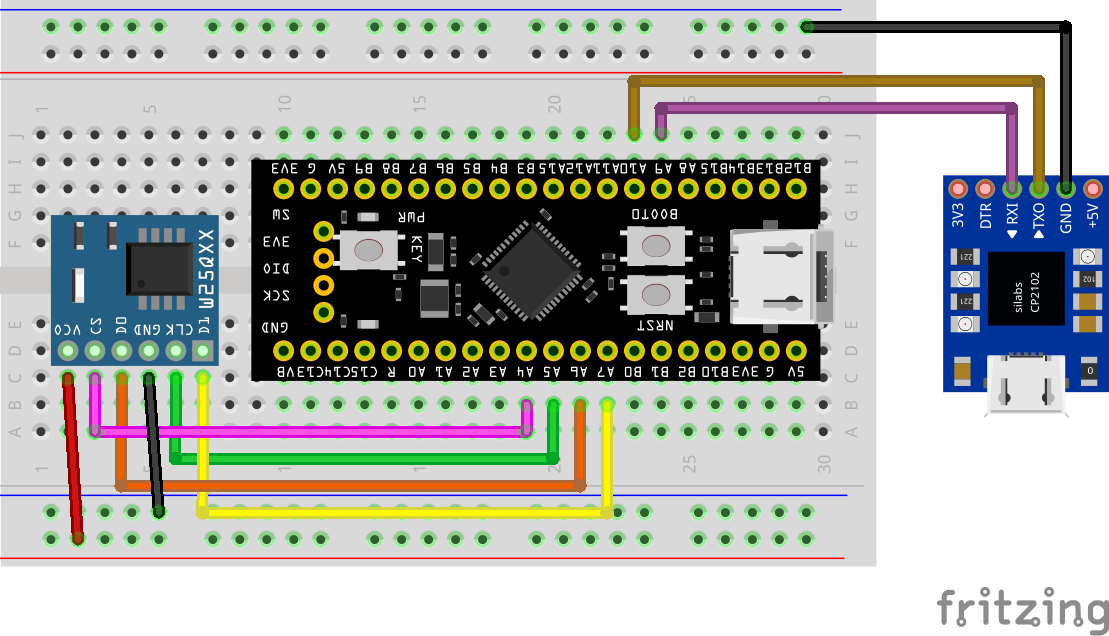
Lately I have working on drivers for Winbond W25Q64 SPI NOR flash chip for my STM32-pio-libs project. Soon enough I wrapped the drivers for it which you can check out at STM32-pio-libs/W25Q64-flash. Well this is a good start in having persistent storage but having to work with raw address on storage medium can become tireing soon. You need a filesystem to make your life simpler, in such environment FAT32 is what widely used but I wanted something even more simpler and easier to work with and I stumbled on littleFS with just two source files this is exactly what I was looking for. I spend some more time getting littleFS working with the W25Q64 driver which resulted in in a separate project repo STM32-pio-libs/W25Q64-lfs. This is an out-of-box glue layer between W25Q64 and littleFS. Now you have freedom of creating files, directories, use paths.
Read more  ↩︎

Yocto setup on Arch linux Pt 2

In part 1 we setup the build environment for yocto build. In this part we actually setup yocto and do our basic build. Before we do there is a small update. When I was trying to build yocto I was hitting an error OSError: [Errno 23] Too many open files in system after 3-5 minutes after starting the build. Aparently virtiofs daemon keeps the file descriptor open on host system even after the VM has closed it. I had a discussion about this on a gitlab issue you can checkout here. TLDR is to use --inode-file-handles=mandatory

WARNING: this flag needs to be run as sudo so the qemu command also needs to be run as sudo else you get error Failed to connect to '/tmp/vm-share.sock': Permission denied

Read more  ↩︎

Yocto setup on Arch linux Pt 1

I am starting a new series of Yocto development for Beaglebone Black. If you don't know about yocto, this is how The Yocto Project themselves introduce.

The Yocto Project (YP) is an open source collaboration project that helps developers create custom Linux-based systems regardless of the hardware architecture.

Read more  ↩︎

Baremetal Atmega Lesson 1: AVR toolchain setup and flash demo program

Introduction

Hey, you must be fimilier with the classic Arduino Uno. This was my first ever microcontroller board and frankly the most used one too, I loved it. But first what is Arduino software stack, Arduino is a abstraction layer on top of the baremetal AVR utilities. This abstraction layer makes things so easy that even a highscool kid can learn microcontroller programming and make stuff out of it. This comes at a cost, you are restricted with the arduino framework, design pattern, the arduino IDE. To make things easy, arduino framework hides lot of features and configuration is provided in the MCU. If you want to be a good embedded engineer you cant stay with Arduino framework forever.

Read more  ↩︎

DS1302 RTC Drivers for STM32 Part 2

Checkout Part 1 to understand inner workings and interface of DS1302

Setup delay_us

You need to first write a delay_us funtions which can do blocking microsecond delays. We need to write our own because STM32CubeHal doesnt not have a microsecond delay.

void delay_us(uint32_t microseconds){
    // Delay code
}
Read more  ↩︎

DS1302 RTC Drivers for STM32 Part 1

Introduction

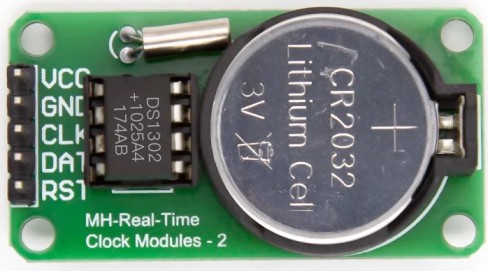
The DS1302 is a Real-Time Clock (RTC) IC used to keep track of time and date. It has the capability to store data such as seconds, minutes, hours, day, date, month, and year. The DS1302 can be interfaced with microcontrollers using a simple serial communication protocol (SPI-like but with slight differences). It also includes 31 bytes of static RAM for temporary data storage.

Read more  ↩︎

Intro to nvim-platformio.lua

If you work with microcontrollers you must have heard of PlatformIO. It is a tool which we can use to program and debug multiple families of microcontrollers in various frameworks with little to no manual setup work. PlatformIO takes care of installing the tool, setting up the project, build, upload and debug. PlatformIO comes with an extension for VS Code which wraps the underlaying PlatformIO cli tool and exposes a very nice interface to setup project and use other tools. But if you are a n/vim user like me, you only have the cli. I was fine with cli but I wanted that ease of use like VS Code extension so I made this neovim plugin called nvim-platformio.lua

Read more  ↩︎